Bartek Cichocki · Creative web development

Interactive Web Experiences for Products & Campaigns

I turn product, brand and motion concepts into custom interactive websites, 3D product experiences and campaign pages that visitors can explore through movement, touch and scroll, directly in the browser.

See examples

Examples

An interaction shaped by the idea.

These self-initiated concepts show three ways to turn a product story into a browser experience. Explore a case study or try the interaction yourself.

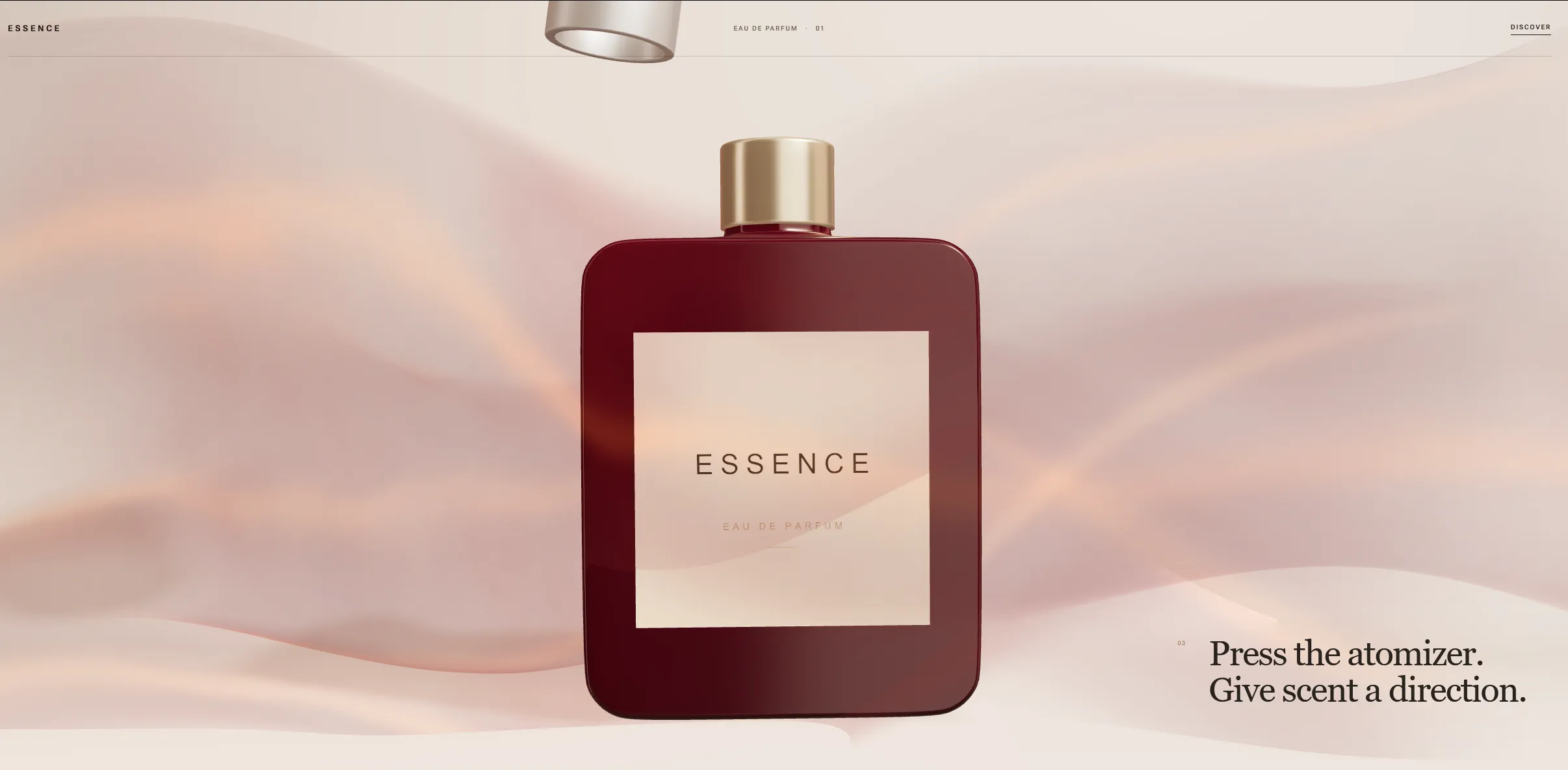
Essence fictional perfume landing-page concept

01 / Essence · Concept

Let visitors discover a product by using it.

For a premium product launch, interaction can carry a sense of ritual and material. In this fictional perfume experience, visitors reveal the cap, press the atomizer and watch scent take form around the bottle.

A direction for fragrance, cosmetics and other products with a tactile story to tell.

Product storytelling / Tactile interaction
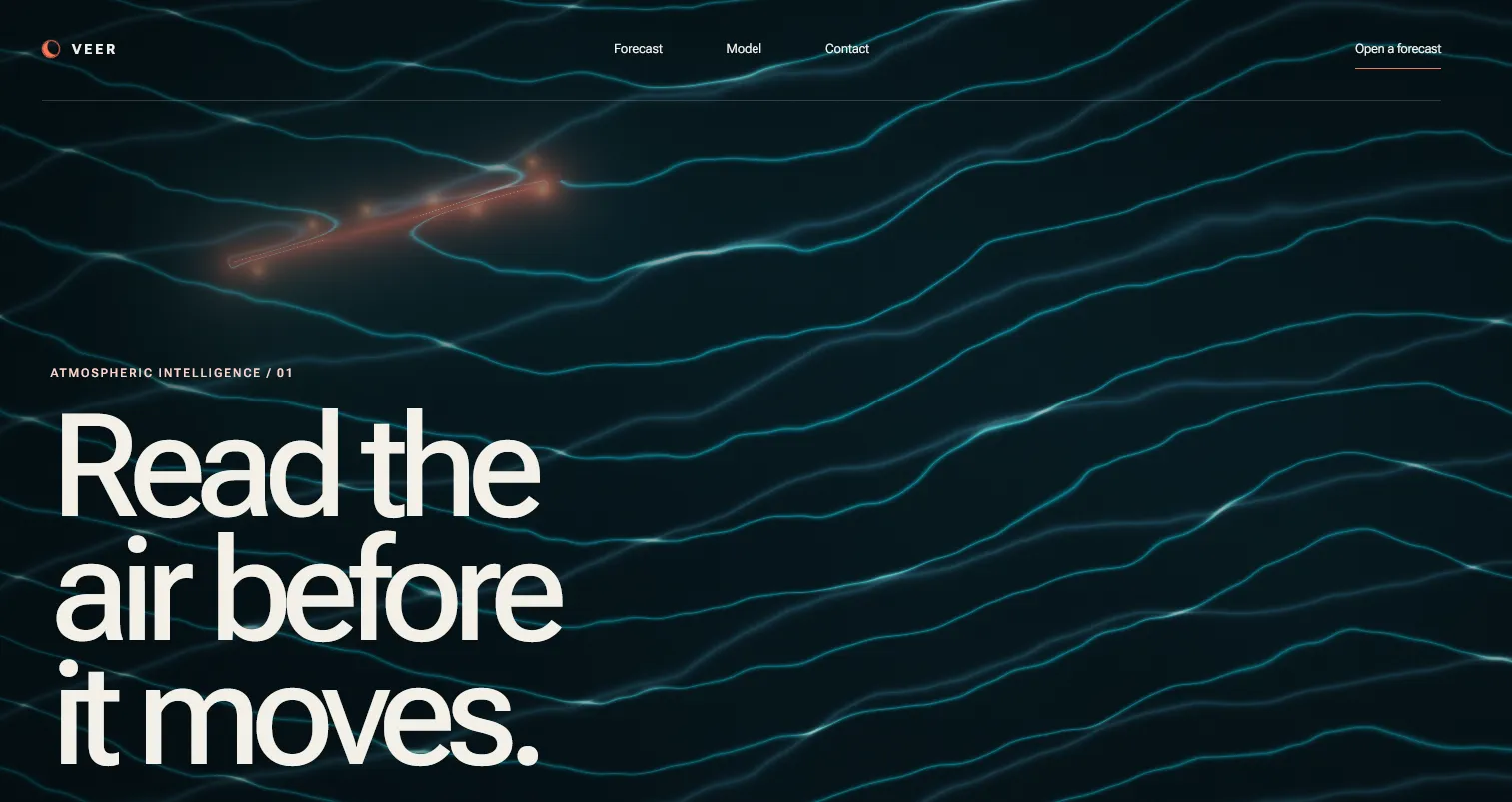
Veer interactive WebGL landing page

02 / Veer · Concept

Make movement part of the product story.

An atmospheric forecasting concept turns wind into a field of flowing lines. The visitor’s movement creates a directional wake, showing how an environmental idea can become a responsive visual system around the page content.

A direction for climate, mobility and data products whose story involves flow or changing conditions.

Movement / Environment / Data stories

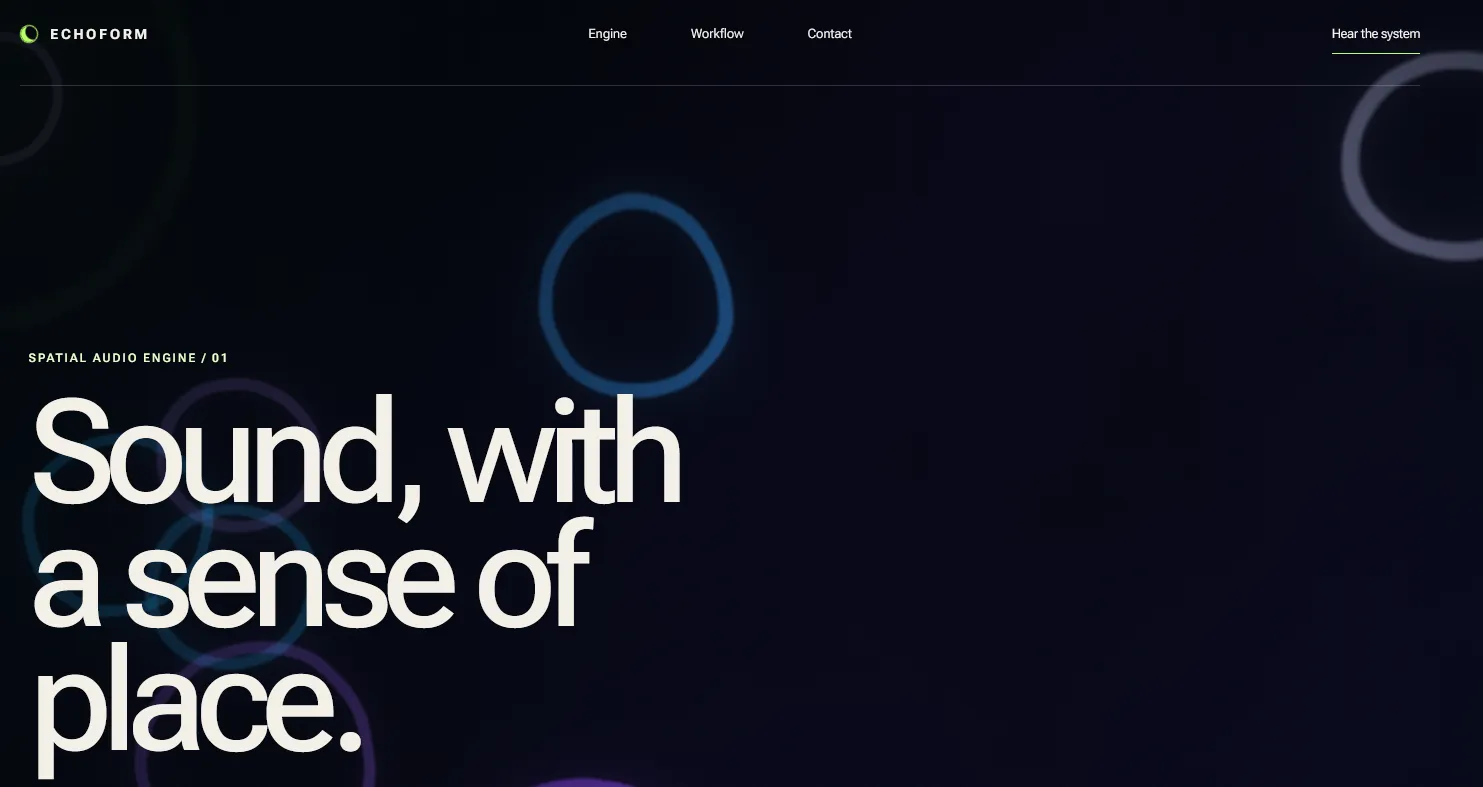
Echoform interactive WebGL landing page

03 / Echoform · Concept

Make an abstract feature visible.

Spatial audio is difficult to show in a product image. Echoform explores an alternative: colourful rings attract and repel around the pointer, giving an abstract sound feature a visual behaviour visitors can influence.

A direction for audio tools, signal-based products and features built around relationships or proximity.

Abstract features / Visual explanation

See more work in the portfolio

Where this approach fits

When the story benefits from participation.

A useful starting point is what the visitor should discover or feel by interacting. The scope can be one moment on an existing page or an entire experience.

  • Product launches

    Introduce a product through something visitors can explore, reveal or control.

  • Campaign microsites

    Give a campaign idea a focused interaction and its own place on the web.

  • Premium landing pages

    Express the product’s materials, mood and character in the page itself.

  • Product storytelling

    Connect movement and interaction to the story you want visitors to follow.

  • Brand experiences

    Translate a brand’s visual language into behaviour that responds to the visitor.

  • Interactive hero sections

    Create one distinctive focal point within an otherwise familiar website.

  • Abstract product features

    Make signals, connections or other invisible qualities easier to see and explore.

  • Motion with realtime interaction

    Take a motion concept beyond a fixed loop, with responses to touch, pointer or scroll.

What can be delivered

A scope that fits what you already have.

You might have an early visual reference, a finished motion direction or a frontend team that needs one specialist component. We can define the work around that starting point.

  • Concept prototype

    A working browser sketch to test whether the idea and interaction feel right.

  • Production implementation

    An approved direction developed into a responsive experience with fallbacks and performance checks.

  • Individual interactive component

    A product scene, hero or other self-contained element for your team to use.

  • Complete visual landing experience

    The interactive visual, page content and responsive frontend developed together.

  • Implementation from your design

    Bring an existing design or motion direction; I work out how it should behave in the browser.

  • Integration into your frontend

    Connect the experience to an existing site and its content, layout and navigation.

How the work happens

Resolve the idea, then build around it.

A typical path looks like this. If your direction is already approved, we can move straight into implementation; a focused component may need only part of the process.

  1. Direction & brief

    Clarify the product story, references and what the visitor should be able to do.

  2. Prototype

    Try the visual and interaction in the browser to resolve the uncertain parts.

  3. Build the experience

    Develop the visual behaviour, realtime interaction and frontend around it.

  4. Responsive & performance pass

    Check smaller screens, input methods, reduced motion and rendering cost.

  5. Integration & launch handoff

    Fit the work into the site and prepare it for your team’s launch.

Production engineering

Creative development with a software foundation.

I combine graphics programming and creative development with 15+ years of software engineering, including production applications and realtime systems. That background matters when an interactive concept needs to live inside a usable, maintainable website.

The work includes the responsive interface, accessible page content and integration around the visual, with attention to performance and a usable fallback.

More about working with me

Technologies

The tools follow the visual idea.

I select the rendering and frontend tools to support the interaction, visual direction and devices the experience needs to work on.

  • Three.js
  • WebGL
  • GLSL
  • TypeScript / JavaScript
Looking specifically for a Three.js & WebGL developer?

Have a product or visual concept?

What should visitors be able to explore?

Share a product idea, a visual reference or a motion study. We can discuss whether it makes sense as a realtime web experience, which interaction would serve it and what a practical first step could be.